
MateSlots App
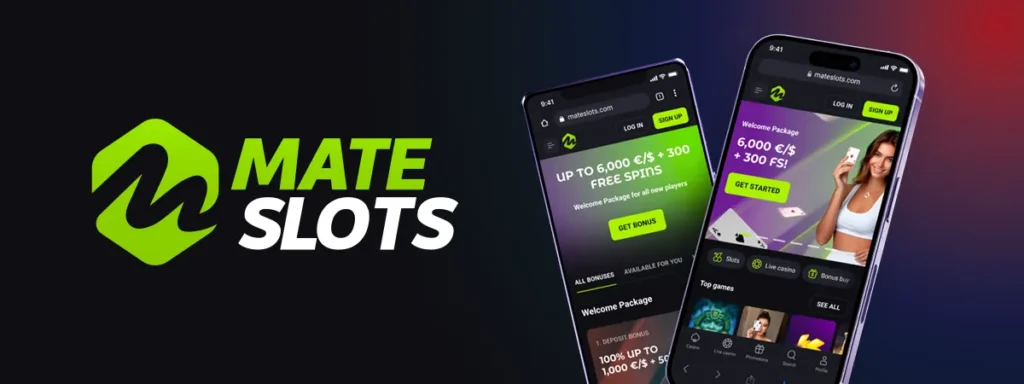


If you love playing on the go, the MateSlots app brings our entire casino straight to your phone or tablet. We built the Mate Slots app so you can enjoy pokies, live dealer tables and daily promotions wherever you are, without compromising on speed or security. Below, we'll walk you through how to get the MateSlots casino app installed, how to log in, and why so many of our players choose mobile over desktop.
Why Players Love the MateSlots Casino App
We designed the app with mobility in mind, but we didn't cut any corners on functionality. Here's what you'll find once you're inside:
- Over 500 pokies optimized for smaller screens, with smooth loading even on mobile data
- Progressive jackpot titles like 3 Hot Chillies and Coins Sniffer available on the go
- Full access to our live casino, including blackjack, roulette and baccarat tables from Evolution and Pragmatic Play Live
- Exclusive app-only rewards not always available on the browser version
- Dark and light themes so you can play comfortably day or night
- Fast deposits and mateslots withdrawal requests handled directly from your account menu
Games load quickly thanks to the lightweight design, and switching between pokies, table games and our live dealer rooms feels just as smooth as on a desktop computer.
How to Get the MateSlots App Download
We offer our app in two formats depending on your device. Whether you're on Android or iOS, getting started with the MateSlots app only takes a couple of minutes.
For Android Users
- Visit our official website from your Android browser
- Look for the 'Download App' banner and tap it
- Allow installation from unknown sources if your device asks
- Download the APK file directly from our site
- Open the file and follow the on-screen installation steps
- Launch the app and sign in to your account
For iOS Users
Our Mate Slots app for iPhone and iPad works slightly differently, since Apple restricts real-money gambling apps on the App Store in many regions. We've made it easy to add our platform to your home screen instead:
- Open Safari and go to our website
- Tap the Share icon at the bottom of the screen
- Select 'Add to Home Screen'
- Confirm, and the MateSlots icon will appear like a native app
- Tap the icon anytime to launch the full casino experience
This installable PWA version behaves just like a downloaded app — it loads fast, works offline for browsing, and sends you notifications about new promotions.
Signing In and Getting Started
Once installed, logging into your account is simple. If you've already registered on desktop, your MateSlots login details carry over automatically to the app. New players can register directly from the mobile app in under a minute — just enter your email, choose a password, select your currency, and confirm your details. For a full breakdown of the registration process and verification steps, check our dedicated MateSlots Casino registration page.
Our mate slots login system uses the same 128-bit SSL encryption and PGP protocol as our desktop site, so your personal and payment information stays protected no matter which device you use.
Security, Licensing and Fair Play
We operate under a license issued by the Curaçao Gaming Authority, and this coverage extends fully to our mobile app. Every title you play, whether on the mateslots app or desktop, holds a valid RNG certificate guaranteeing fair outcomes. We also support responsible gaming tools directly inside the app — you can set weekly or monthly deposit limits, or activate self-exclusion from your profile settings at any time.
Our demo mode, labelled 'Play for Fun,' is also available on mobile, letting you try out mateslots slots and new releases without risking real money before deciding to deposit.
Deposits and Withdrawals on Mobile
Managing your bankroll through the mate slots casino app is straightforward. You can deposit using Visa, Mastercard, Apple Pay, Google Pay, MiFinity, Neteller, Skrill, Neosurf, Paysafecard, CashtoCode, bank transfer, or a wide range of cryptocurrencies including Bitcoin, Ethereum, Litecoin and USDT. All deposits are free of commission and processed instantly, regardless of which device you're using.
Withdrawals work the same way they do on desktop — crypto and MiFinity payouts arrive instantly, while card withdrawals typically take one to three banking days. Minimum withdrawal amounts remain the same across platforms, starting around 20 EUR/USD or the crypto equivalent.
Claiming Your Bonuses Through the App
One of the biggest perks of playing through our mobile app is that every mateslots bonus available on desktop is also accessible on your phone. From the welcome package to reload offers, you won't miss out on any promotions just because you're playing on the move.
| Offer | Details |
|---|---|
| Welcome Package | A$6,750 + 250 Free Spins across your first four deposits |
| Crypto Welcome Package | Bonus spread across your first three crypto deposits |
| High Roller Club | 200% up to $3,000, code WIN200 |
| Buddy Boost Bonus | 100% + 100 Free Spins, code BUDDY100 |
For full details on wagering requirements and terms, visit our MateSlots Casino bonuses page before claiming — the same rules that apply on desktop apply inside the app, including the standard 40x wagering on welcome offers and the one-bonus-at-a-time policy.
Customer Support While You're on the Move
We know that questions can come up at any hour, so our support team stays available around the clock, even if you're only using the app.
- Live Chat: Available 24/7 directly inside the app via the Intercom chat icon
- Email: support@mateslots.com
- Help Center and FAQ: Accessible from the app menu
- VIP Support: Personal manager assistance for VIP Club members, also reachable through the app

Final Thoughts
The MateSlots app gives you a genuinely complete casino experience in your pocket — from our full pokies library and live casino tables to fast banking and round-the-clock support. Whether you install the Android version or add our PWA to your iPhone home screen, you're getting the same licensed, secure platform you'd find on MateSlots Casino, just more convenient. We invite you to download the app today and see how easy it is to play anytime, anywhere.
FAQ
Is the MateSlots app free to download?
Yes, downloading and installing our app costs nothing. You only need funds in your account once you're ready to deposit and play for real money.
Can I use the mate slots app in any country?
Our app is available to players in supported markets such as Australia, New Zealand, Canada, Norway and other approved regions. We restrict access for a number of countries listed in our terms, so please check your eligibility before registering.
Do I need a separate account for the app?
No. Your existing login credentials work across both desktop and mobile, so you can switch devices without creating a new account.
Will I receive the same mateslots free spins and bonuses on mobile?
Yes, every promotion we run, including our welcome package and reload offers, is fully accessible through the app, and in some cases we add exclusive app-only rewards as well.
How long do withdrawals take through the app?
Processing times match our desktop platform. Crypto and MiFinity payouts are instant, while card withdrawals usually take one to three banking days depending on your bank.
Is the app safe to use?
Absolutely. We protect every session with 128-bit SSL encryption and PGP protocols, and our license from the Curaçao Gaming Authority covers all gameplay on the app.
Content updated: November 11, 2026